
A community for the repair bench. Since 2022.LAPTOP + DESKTOP BOARD REPAIR
Advertisement
Service · EC / KBC unlock Unlock MEC17xx, Nuvoton & ITE with a BIOS patch
  • BIOS patch method
  • Private check
  • For verified owners & repair technicians
Chat on WhatsApp +92 328 0493988 · Replies on WhatsApp
Service · Dell BIOS password Dell master BIOS codes from your System Number
  • Suffixes 8FC8 CF1B 3FE2 9ABE 1B58 E7A8
  • Private check
  • For verified owners & repair technicians
Chat on WhatsApp +92 328 0493988 · Replies on WhatsApp

Dell XPS 9310 GDA31 LA-J144P 11th gen BIOS,SCHEMATIC,BOARDVIEW

Search files by board code
Browse all 33,263 files →
 
About this board

Dell XPS 9310 GDA31 11th gen — motherboard LA-J144P.

Dell had this board built by Compal; Compal board numbers start with LA- and end in P. Check the number printed on the PCB before you download.

From the title: Intel 11th gen platform.

Files wanted for this board
  • BIOS (full SPI chip dump, .bin)
  • EC / KBC firmware, if the board uses a separate EC chip
  • Schematic (PDF)
  • Boardview (.brd / .bdv / .cad)

Common cases: dead board after an interrupted BIOS update, ME region errors, missing serial number or UUID after a board swap, or a password lock.

Before flashing, always read and save the original chip. It holds the serial number, UUID, MAC address and ME data for that exact machine.

If you have a working file for this board, please share it below. More files: search LA-J144P in File Finder.

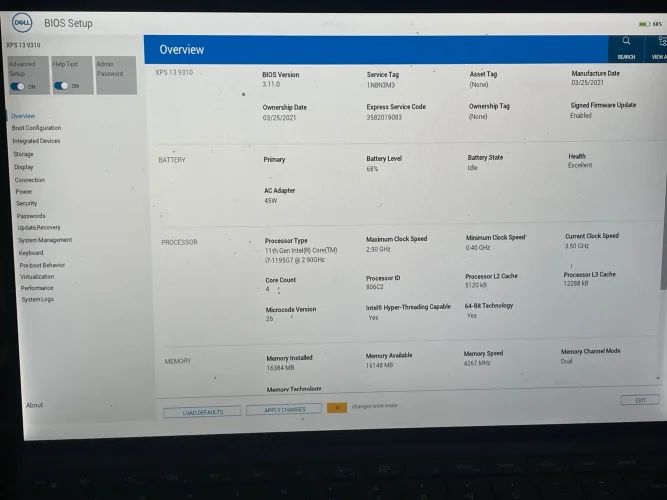
Hello everyone, I i have XPS 9310 LA-J144P Rev 2. The unit before was doing loops on logo. I've flashed this file from many, and it's the only one that worked. For some reason, this particular unit and LA-L882 they have issues for not detecting SSD...
This file works after couple of reboots but takes me to BIOS GUI. NO SSD Detected, and the issue isn't the hardware, it's the BIOS file itself. Good is the file that i got from somewhere online...Bad is the original file. Thanks!
 

Attachments

Dell XPS 9310 GDA31 LA-J144P 11th gen BIOS,SCHEMATIC,BOARDVIEW – IMG_5179

Note: The good file has slow boot and sometimes it restarts few times before accessing the BIOS. I tried also your file above, and it didn't work.
 
Hello everyone, I i have XPS 9310 LA-J144P Rev 2. The unit before was doing loops on logo. I've flashed this file from many, and it's the only one that worked. For some reason, this particular unit and LA-L882 they have issues for not detecting SSD...
This file works after couple of reboots but takes me to BIOS GUI. NO SSD Detected, and the issue isn't the hardware, it's the BIOS file itself. Good is the file that i got from somewhere online...Bad is the original file. Thanks!
try this bios this is your org bios build and cleanme
 

Attachments

Build+Cleanme.rar
8.9 MB · Views: 6

Hello, with your file the unit hangs on logo for 45 seconds then reboots and hangs again.
 

Make PKBIOSFIX part of your bench.

Professional resources. Shared experience. A stronger repair community.

Explore PRO
Back
Top