A community for the repair bench. Since 2022.LAPTOP + DESKTOP BOARD REPAIR
Advertisement
Service · EC / KBC unlock Unlock MEC17xx, Nuvoton & ITE with a BIOS patch
  • BIOS patch method
  • Private check
  • For verified owners & repair technicians
Chat on WhatsApp +92 328 0493988 · Replies on WhatsApp
Service · Dell BIOS password Dell master BIOS codes from your System Number
  • Suffixes 8FC8 CF1B 3FE2 9ABE 1B58 E7A8
  • Private check
  • For verified owners & repair technicians
Chat on WhatsApp +92 328 0493988 · Replies on WhatsApp

BIOS Dell Latitude 5410/5510 and Dell Precision 3550 LA-J381P BIOS.BIN

Laptops and Desktop Bios, Schematic and Boardview Files And Repairing Discussion
Search files by board code
Browse all 33,237 files →
Dell Latitude 5410/5510 and Dell Precision 3550 FDW50 LA-J381P
32 BIOS
PATCH BIOS TESTED.
LA-J381P SIMILAR SCHEMATIC PDF
 
About this board

This thread is for the Dell Latitude 5410/5510 Dell Precision 3550 with main board LA-J381P.

Dell had this board built by Compal; Compal board numbers start with LA- and end in P. Check the number printed on the PCB before you download.

What this thread covers
  • BIOS (full SPI chip dump, .bin)

Typical reasons to reflash: no power or no display after a failed BIOS update, a BIOS/supervisor password lock, or a corrupted Intel ME region.

Before flashing, always read and save the original chip. It holds the serial number, UUID, MAC address and ME data for that exact machine.

If you have a working file for this board, please share it below. More files: search LA-J381P in File Finder.

Attachments

DELL 5410 -5510 LA-J381P.rar
11.2 MB · Views: 115


LA-J381P pdf Schematic.pdf
4.6 MB · Views: 72

Last edited by a moderator:
Hello,
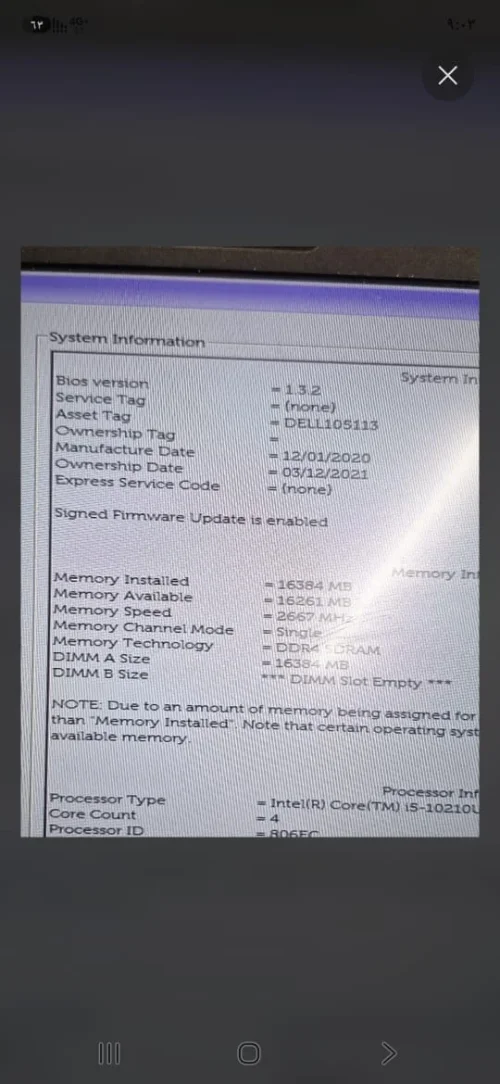
I need a 100% verified, clean engineering dump (Clear ME Region) for my laptop.
Here are my exact hardware details and the current diagnostic status:

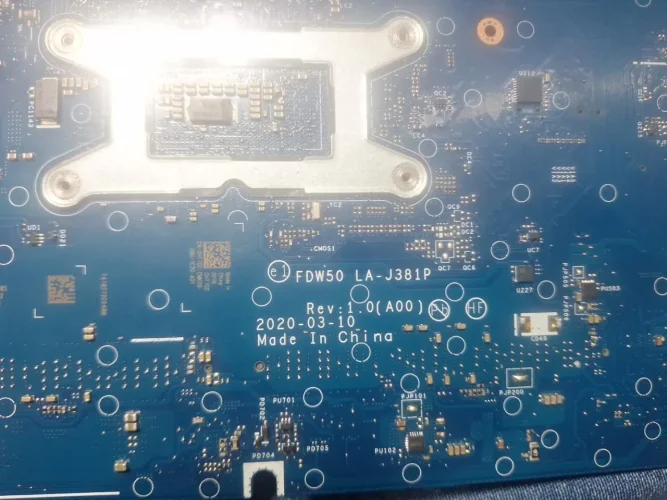
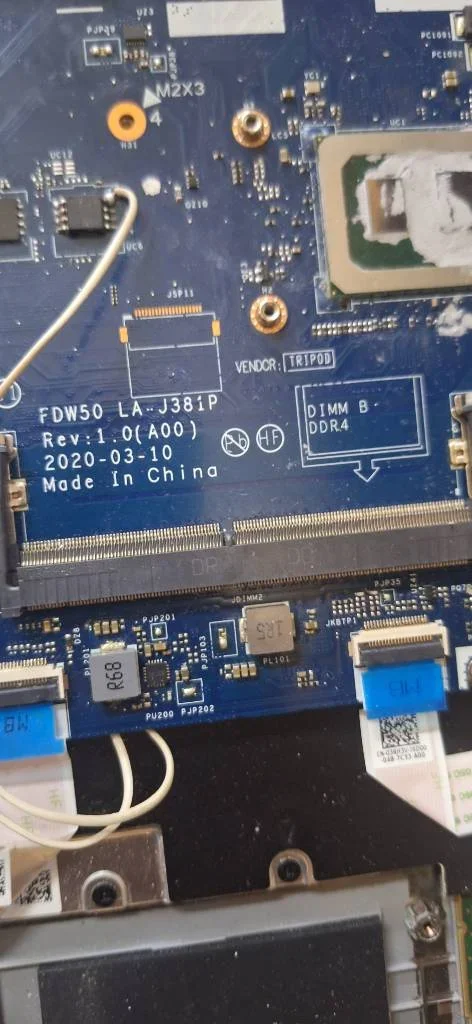
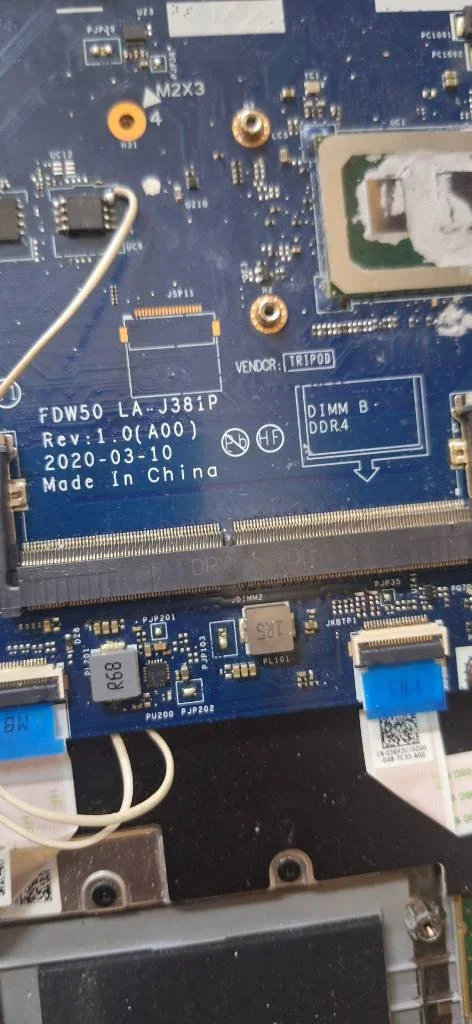
Motherboard Model: FDW50 LA-J381P Rev:1.0 (A00)
CPU: Intel Core i5-10210U (10th Gen, UMA Graphics
 

Attachments

Dell Latitude 5410/5510 and Dell Precision 3550 LA-J381P BIOS.BIN – image
Last edited by a moderator:
Hello,


I need a 100% verified, clean engineering dump (Clear ME Region) for my laptop.


Here are my exact hardware details and the current diagnostic status:


  • Motherboard Model: FDW50 LA-J381P Rev:1.0 (A00)


  • CPU: Intel Core i5-10210U (10th Gen, UMA Graphics)


  • Laptop Model: Dell Latitude 5510
Current Diagnostic Status:


  1. All main power rails on the coils (3V and 5V) are fully present and completely stable.


  2. I have thoroughly checked the board and there is NO short circuit anywhere.


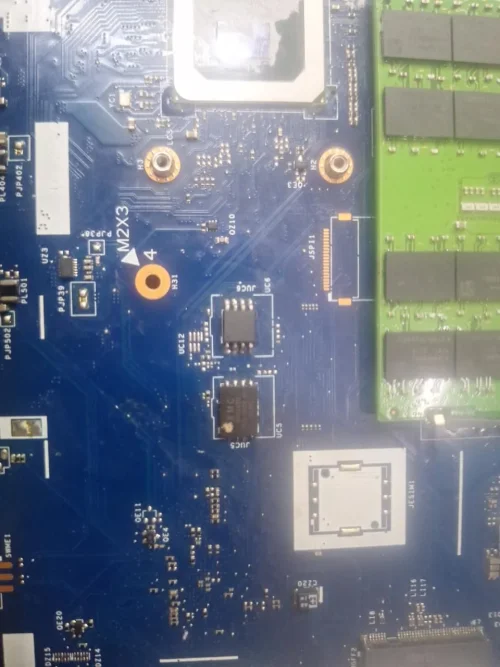
  3. However, Pin 8 of the Main BIOS chip (UC6) does not receive the 3.3V power unless I force it externally via a jumper.


  4. When I flashed a clean dump file, the board woke up, the keyboard backlight turned on, and the device tried to boot, but it got stuck in a continuous loop.


  5. The power LED blinks white twice consecutively, pauses for 3 seconds, and repeats this loop with no display (No POST).
Could this loop be caused by an incomplete chip flash or corrupted data timing in the previous files? Please analyze this behavior and provide a fresh, pre-split dual-chip BIOS dump:


  • Main BIOS (16MB) for UC6


  • EC BIOS (8MB) for UC5
Thank you for your expert support!
Please upload old bios then we build factory image
 
Subject: Dell laptop no Service Tag - No 3V on BIOS Main Pin 8 - Blinking White LED Loop


Hi everyone,


I need help with a motherboard repair issue. The laptop has no Service Tag.


Initial Symptoms:


  • The device was completely dead.


  • Measured 0V (no power) on Pin 8 (VCC) of both BIOS chips; the 3V line was entirely missing.

What I tried:


  • I bypassed the issue by jumping 3V directly to Pin 8.


  • After the jump, the device showed signs of life but won't boot.

Current LED Behavior:


  • The power/status LED blinks white twice, then stays solid white for a few seconds, and then repeats this cycle continuously.

The major problem:


  • I unfortunately lost the backup/original dump files for the BIOS chips.

Can anyone help me diagnose the LED error code, or provide clean BIOS dump files for this board?


Thank you in advance!
 

Attachments

Dell Latitude 5410/5510 and Dell Precision 3550 LA-J381P BIOS.BIN – WhatsApp Image 2026-09-18 at 9.48.24 AM Dell Latitude 5410/5510 and Dell Precision 3550 LA-J381P BIOS.BIN – WhatsApp Image 2026-09-18 at 9.49.43 AM Dell Latitude 5410/5510 and Dell Precision 3550 LA-J381P BIOS.BIN – WhatsApp Image 2026-09-18 at 9.49.45 AM Dell Latitude 5410/5510 and Dell Precision 3550 LA-J381P BIOS.BIN – image
Subject: Dell laptop no Service Tag - No 3V on BIOS Main Pin 8 - Blinking White LED Loop


Hi everyone,


I need help with a motherboard repair issue. The laptop has no Service Tag.


Initial Symptoms:


  • The device was completely dead.


  • Measured 0V (no power) on Pin 8 (VCC) of both BIOS chips; the 3V line was entirely missing.
What I tried:


  • I bypassed the issue by jumping 3V directly to Pin 8.


  • After the jump, the device showed signs of life but won't boot.
Current LED Behavior:


  • The power/status LED blinks white twice, then stays solid white for a few seconds, and then repeats this cycle continuously.
The major problem:


  • I unfortunately lost the backup/original dump files for the BIOS chips.
Can anyone help me diagnose the LED error code, or provide clean BIOS dump files for this board?


Thank you in advance!
Not bios problem check motherboard
 
Hi,

Please provide a clean BIOS file for the following motherboard. I don't have the original backup dump.

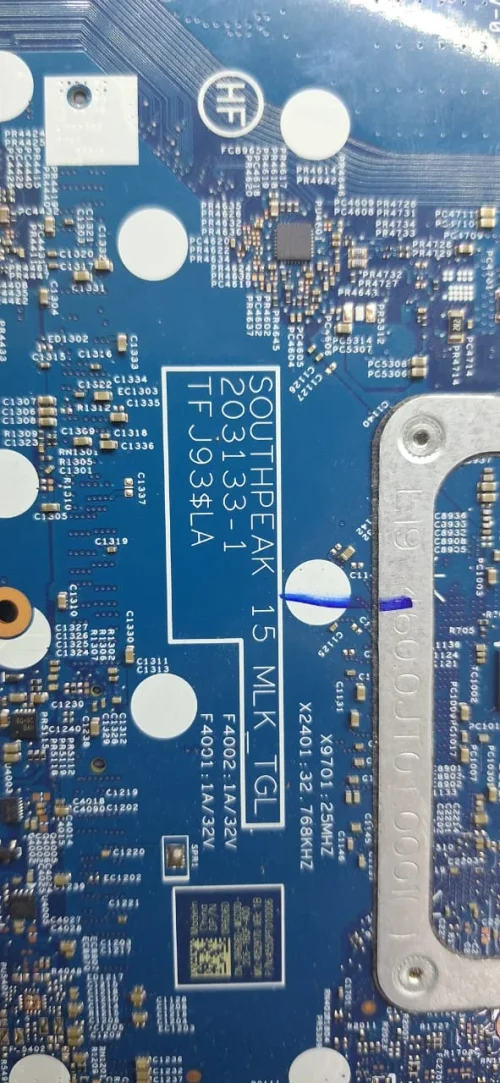
* Motherboard Part Number: SOUTHPEAK 15 MLK TGL 203133-1 TFJ93$LA

Thank you!
 

Attachments

Dell Latitude 5410/5510 and Dell Precision 3550 LA-J381P BIOS.BIN – 12
Last edited:
Hi,

Please provide a clean BIOS file for the following motherboard. I don't have the original backup dump.

* Motherboard Part Number: SOUTHPEAK 15 MLK TGL 203133-1 TFJ93$LA

Thank you!
without old bios how can we build?
try other bios from forum
 
Hi Admin,
Just to clarify, my device is a Core i5 system. This specific file is the one where the PC gets power, the lights turn on, and it tries to boot up but fails (stuck in a boot loop).
The problem is that it has the power to attempt a boot, but it cannot complete it. Could you please check what is causing this boot failure in the file?
 

Attachments


Make PKBIOSFIX part of your bench.

Professional resources. Shared experience. A stronger repair community.

Explore PRO
Back
Top