Welcome!

By registering with us, you'll be able to discuss, share and private message with other members of our community.

SignUp Now!

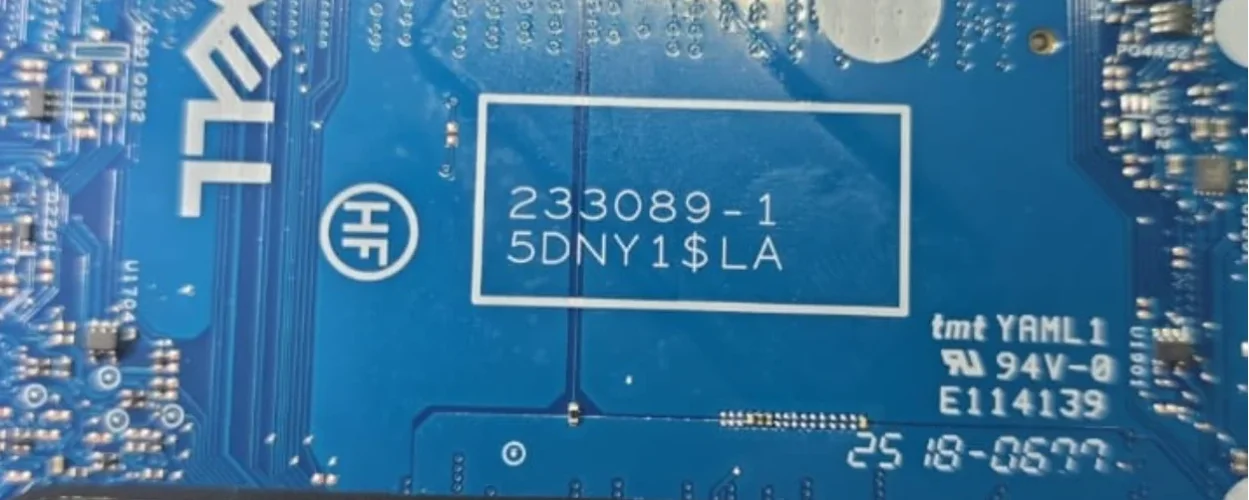
BIOS Dell Pro 14 PC14250 233089-1

Laptops and Desktop Bios, Schematic and Boardview Files And Repairing Discussion
Write this carefully
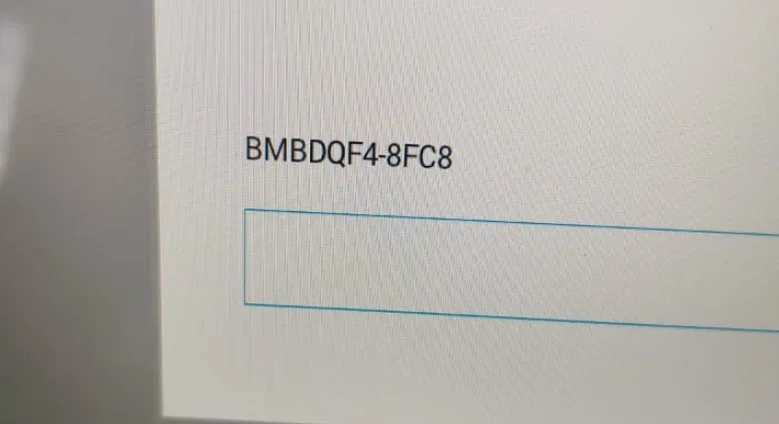
DELL Service Tag: GSSS6C4-8FC8
password: rN3U2IZhzZ7njNcb
------------
r - romeo ( lowercase )
N - NOVEMBER ( UPPERCASE )
3 - 3 ( digit )
U - UNIFORM ( UPPERCASE )
2 - 2 ( digit )
I - INDIA ( UPPERCASE )
Z - ZULU ( UPPERCASE )
h - hotel ( lowercase )
z - zulu ( lowercase )
Z - ZULU ( UPPERCASE )
7 - 7 ( digit )
n - november ( lowercase )
j - juliett ( lowercase )
N - NOVEMBER ( UPPERCASE )
c - charlie ( lowercase )
b - bravo ( lowercase )
 
Ths is the tag: F4NRGB4-8FC8
Please read the instructions CAREFULLY.

INSTRUCTIONS:
  • Type the 16-character password. For UPPERCASE characters use SHIFT key. Take your time while typing password, my suggestion is to use NATO Phonetic guide under password (a-alpha, B-BRAVO, C-CHARLIE...).
  • Once you are done typing password, hold down left CTRL key and press ENTER key twice (CTRL-ENTER-ENTER).
(Password is to be typed using a standard US QWERTY keyboard).

NOTE: Sometimes if using master password within Setup/BIOS, just pressing ENTER after typing password will do.
DELL Service Tag: F4NRGB4-8FC8
password: 2933yxzZr5NLq0aX
------------
2 - 2 ( digit )
9 - 9 ( digit )
3 - 3 ( digit )
3 - 3 ( digit )
y - yankee ( lowercase )
x - x-ray ( lowercase )
z - zulu ( lowercase )
Z - ZULU ( UPPERCASE )
r - romeo ( lowercase )
5 - 5 ( digit )
N - NOVEMBER ( UPPERCASE )
L - LIMA ( UPPERCASE )
q - quebec ( lowercase )
0 - zero ( digit )
a - alfa ( lowercase )
X - X-RAY ( UPPERCASE )
 
Last edited:
Please read the instructions CAREFULLY.

INSTRUCTIONS:
  • Type the 16-character password. For UPPERCASE characters use SHIFT key. Take your time while typing password, my suggestion is to use NATO Phonetic guide under password (a-alpha, B-BRAVO, C-CHARLIE...).
  • Once you are done typing password, hold down left CTRL key and press ENTER key twice (CTRL-ENTER-ENTER).
(Password is to be typed using a standard US QWERTY keyboard).

NOTE: Sometimes if using master password within Setup/BIOS, just pressing ENTER after typing password will do.
DELL Service Tag: F4NRGB4-8FC8
password: 2933yxzZr5NLq0aX
------------
2 - 2 ( digit )
9 - 9 ( digit )
3 - 3 ( digit )
3 - 3 ( digit )
y - yankee ( lowercase )
x - x-ray ( lowercase )
z - zulu ( lowercase )
Z - ZULU ( UPPERCASE )
r - romeo ( lowercase )
5 - 5 ( digit )
N - NOVEMBER ( UPPERCASE )
L - LIMA ( UPPERCASE )
q - quebec ( lowercase )
0 - zero ( digit )
a - alfa ( lowercase )
X - X-RAY ( UPPERCASE )
Thanks code works👍
 
Back
Top