A community for the repair bench. Since 2022.LAPTOP + DESKTOP BOARD REPAIR
Advertisement
Service · EC / KBC unlock Unlock MEC17xx, Nuvoton & ITE with a BIOS patch
  • BIOS patch method
  • Private check
  • For verified owners & repair technicians
Chat on WhatsApp +92 328 0493988 · Replies on WhatsApp
Service · Dell BIOS password Dell master BIOS codes from your System Number
  • Suffixes 8FC8 CF1B 3FE2 9ABE 1B58 E7A8
  • Private check
  • For verified owners & repair technicians
Chat on WhatsApp +92 328 0493988 · Replies on WhatsApp

BIOS Lenovo T14/P14s/P15s/T15 Gen 2 NM-D352 BIOS & Boardview

Laptops and Desktop Bios, Schematic and Boardview Files And Repairing Discussion
Search files by board code
Browse all 33,263 files →
Thinkpad T14 Gen 2 (Type 20W0, 20W1, 20W1) HT4B0/HP4B0/HT5B1/HP5B1/HT 4B2 NM- D352
BIOS
ThinkPad P14s Gen 2 (NM-D352 REV1.0 BoardView)
ThinkPad P14s Gen 2 (NM-D352 REV 2.0 SCHEMATIC
 
About this board

Files for the Lenovo T14/P14s/P15s/T15 Gen 2 motherboard, board number NM-D352.

The board was manufactured by LCFC for Lenovo. LCFC (Lenovo/Compal) board numbers start with NM-, so you can confirm it on the PCB silkscreen.

Files listed for this board
  • BIOS (full SPI chip dump, .bin)
  • Boardview (.brd / .bdv / .cad)

Typical reasons to reflash: no power or no display after a failed BIOS update, a BIOS/supervisor password lock, or a corrupted Intel ME region.

Before flashing, always read and save the original chip. It holds the serial number, UUID, MAC address and ME data for that exact machine.

Have a tested file for NM-D352? Reply below and help the next technician. Looking for something else? Search all files in the File Finder.

Attachments


Last edited:
Hi,

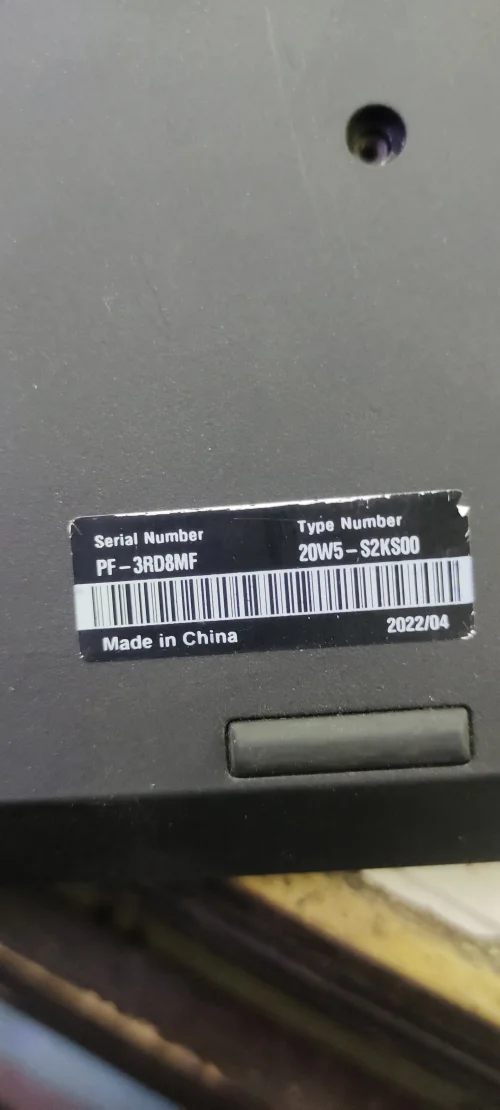
I have a Lenovo Thinkpad T14 Gen 2 that powers on, has fans spinning, no display, then powers off. Can you repair? Thank you!

NM-D352 Rev:2.0
SRK1F
20W1-S27T00
 

Attachments

U2201_W25Q256JV@WSON8.BIN
32 MB · Views: 7

Hi,

I have the same BIOS that worked before but is now having the same issue with power on, fans spin, then power off. Possible issue after Windows update but not sure. I'm attaching the newer BIOS. Can this be repaired? Thanks!

NM-D352 Rev:2.0
SRK1F
20W1-S27T00
 

Attachments

U2201.BIN
32 MB · Views: 6

Hi,

I have the same BIOS that worked before but is now having the same issue with power on, fans spin, then power off. Possible issue after Windows update but not sure. I'm attaching the newer BIOS. Can this be repaired? Thanks!

NM-D352 Rev:2.0
SRK1F
20W1-S27T00
If you feel there is an issue with this bios, you can try the bios
mentioned above.
 

Make PKBIOSFIX part of your bench.

Professional resources. Shared experience. A stronger repair community.

Explore PRO
Back
Top