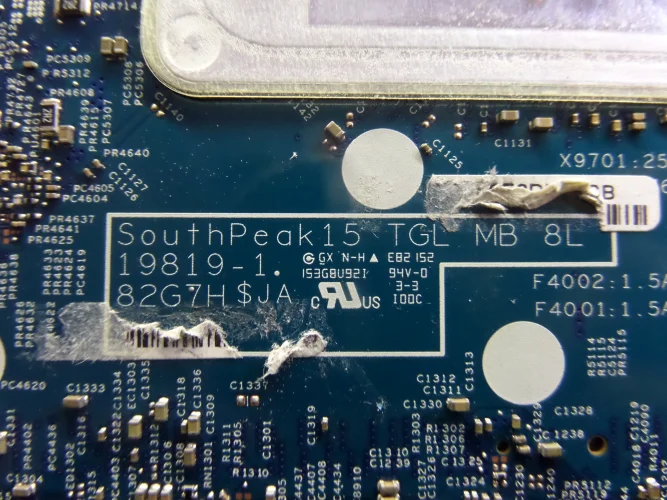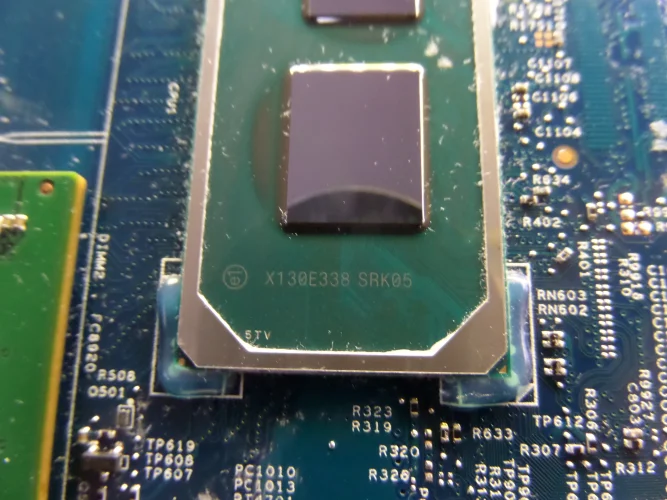
Could you help me repair the file? I don’t have the original file, and the BIOS chip had already been worked on. I found this file on your site; with it, the device turns on and displays video once, but then it reboots, and subsequently, it keeps restarting on its own without displaying any video. I’ve tried other BIOS files, but the device won’t turn on with any of those—it only turns on with this specific file.
motherboard SOUTHPEAK15 TGL MB 8L 19819-1
dell latitude 5520
st:h5532b3
Core i5-1135G7
motherboard SOUTHPEAK15 TGL MB 8L 19819-1
dell latitude 5520
st:h5532b3
Core i5-1135G7
About this board
This thread is for the latitude 5520.
Compare the board number printed on the PCB (near the RAM slots or under the battery) with the files before you flash.
Files usually needed for this board
- BIOS (full SPI chip dump, .bin)
- EC / KBC firmware, if the board uses a separate EC chip
- Schematic (PDF)
- Boardview (.brd / .bdv / .cad)
Common cases: dead board after an interrupted BIOS update, ME region errors, missing serial number or UUID after a board swap, or a password lock.
Before flashing, always read and save the original chip. It holds the serial number, UUID, MAC address and ME data for that exact machine.
Have a tested file for this board? Reply below and help the next technician. Looking for something else? Search all files in the File Finder.
Attachments
DELL 5520 - 15 TGL - 19819-1.bin
32 MB · Views: 3
32 MB · Views: 3