A community for the repair bench. Since 2022.LAPTOP + DESKTOP BOARD REPAIR
Advertisement
Service · EC / KBC unlock Unlock MEC17xx, Nuvoton & ITE with a BIOS patch
  • BIOS patch method
  • Private check
  • For verified owners & repair technicians
Chat on WhatsApp +92 328 0493988 · Replies on WhatsApp
Service · Dell BIOS password Dell master BIOS codes from your System Number
  • Suffixes 8FC8 CF1B 3FE2 9ABE 1B58 E7A8
  • Private check
  • For verified owners & repair technicians
Chat on WhatsApp +92 328 0493988 · Replies on WhatsApp

APPLE A1398 - 820-00426-A

Laptops and Desktop Bios, Schematic and Boardview Files And Repairing Discussion
Search files by board code
Browse all 33,263 files →
Macbook Pro 15" Retina
A1398 EMC 2910
820-00426-A
A1398 820-00426-A ORIGINAL.BIN
Schematic and boardview, SCHEM,MLB,VENUS2, PROTO1A,
06/04/2014
820-00426 Board View.brd
Apple 820-00426 LO.pdf
 
About this board

A1398 — motherboard 820-00426-A.

Files usually needed for this board
  • EFI firmware (full SPI ROM dump)
  • Schematic (PDF)
  • Boardview (.brd / .bdv / .cad)

Usually needed after a failed firmware update, for EFI password removal, or when the board powers on but never shows the Apple logo.

Before flashing, always read and save the original chip. It holds the serial number, UUID, MAC address and ME data for that exact machine.

Have a tested file for 820-00426-A? Reply below and help the next technician. Looking for something else? Search all files in the File Finder.

Attachments

Apple 820-00426 LO.pdf
5.8 MB · Views: 11

820-00426 Board View.brd
864.1 KB · Views: 11

820 00426-A.bin.zip
4.9 MB · Views: 7

anyone have working discrete to uma data for this model 820-00426-a i have converted the from gfx to non gfx but after going into sleep mode laptop screen does not turn display on keyboard ok
 
anyone have working discrete to uma data for this model 820-00426-a i have converted the from gfx to non gfx but after going into sleep mode laptop screen does not turn display on keyboard ok
you have svod4?
gmx file can read and write
 
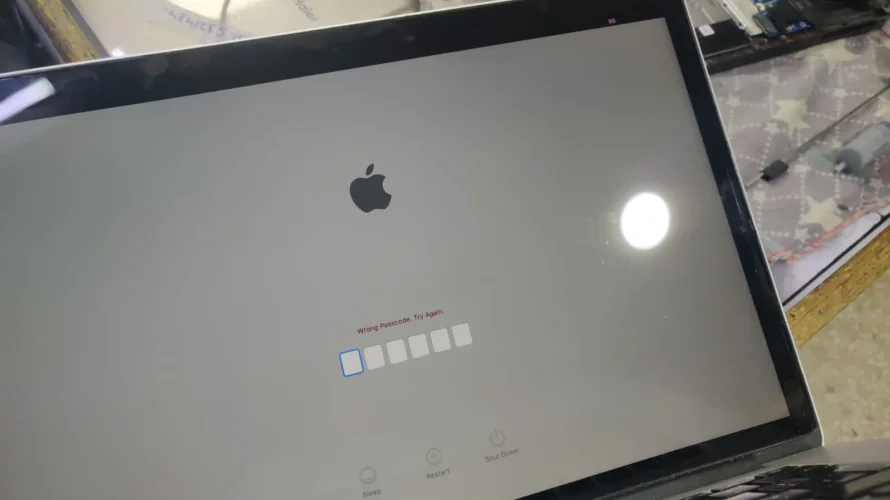
still password
To clear NVRAM/PRAM on an Intel-based MacBook, shut down, turn it back on, and immediately hold Option + Command + P + R for about 20 seconds, or until the Mac restarts and you hear the second startup sound (or see the Apple logo appear/disappear twice). This resets settings like volume, resolution, and startup disk
 

Make PKBIOSFIX part of your bench.

Professional resources. Shared experience. A stronger repair community.

Explore PRO
Back
Top