
Hi, I have a xenia 15g with no display and only the fans spinning after programming the BIOS with a bin file from the manufacturer's site. After flashing the original BIOS back, I'm still having the same no display and fans spinning issue. I'm not sure what to do at this point but I'm attaching the original bin file and the site's BIOS files and hoping you can help me with this.
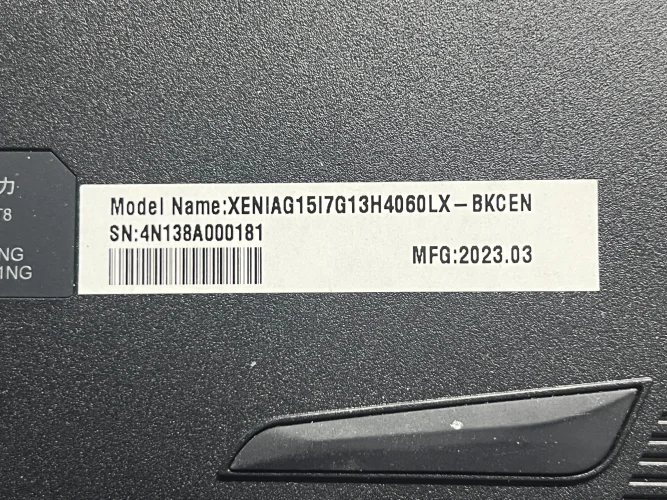
A-DATA XPG XENIA 15G
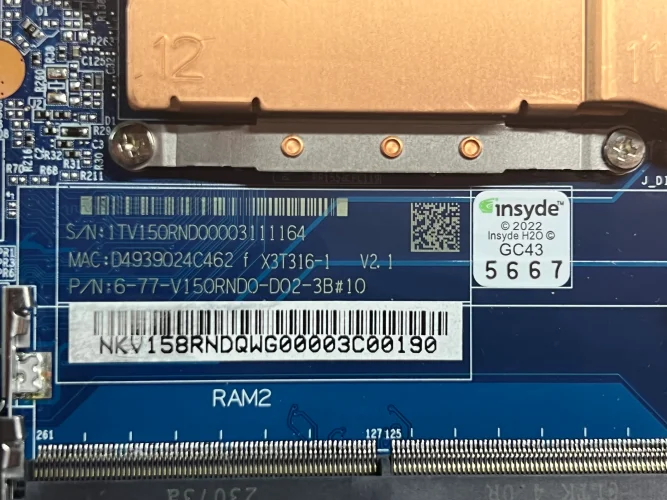
6-71-V15R0-D02
V150RNEMB-OD
SRMJ1 (Intel Core i7-13700H)
BIOS Chip GD25B256E@WSON8
SN: 4N138A000181
A-DATA XPG XENIA 15G
6-71-V15R0-D02
V150RNEMB-OD
SRMJ1 (Intel Core i7-13700H)
BIOS Chip GD25B256E@WSON8
SN: 4N138A000181
About this board
This thread is for the A-DATA XPG XENIA 15G Corrupted.
Compare the board number printed on the PCB (near the RAM slots or under the battery) with the files before you flash.
What this thread covers
- BIOS (full SPI chip dump, .bin)
Usually needed when the laptop powers on with a black screen after a BIOS update, is stuck in a boot loop, or is locked with a BIOS password.
Before flashing, always read and save the original chip. It holds the serial number, UUID, MAC address and ME data for that exact machine.
Have a tested file for this board? Reply below and help the next technician. Looking for something else? Search all files in the File Finder.
Attachments
g2303_v108.zip
30.4 MB · Views: 12
30.4 MB · Views: 12
xeniag15original.BIN
32 MB · Views: 11
32 MB · Views: 11


